Everything is free during our launch period. We’ll let you know well before payments begin.
Cancelling takes a few clicks in your account page. No phone calls, no questions, no tricks.
-
Go to Settings → Account → Account & plan, and choose Plan and billing.
-
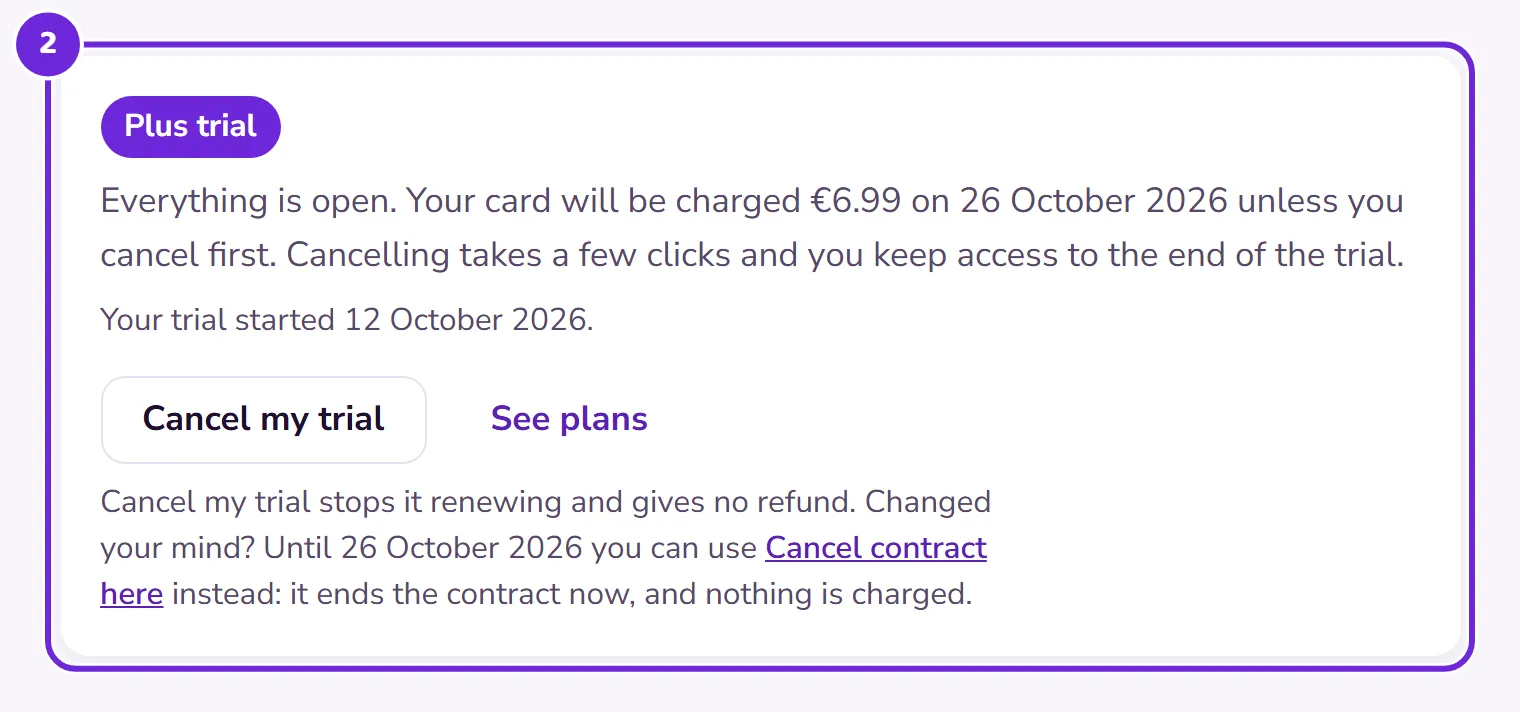
Choose Cancel my plan. During a free trial the button says Cancel my trial instead. It’s the same two clicks.
 Open this picture full size.
 Step 2: cancelling lives on Plan and billing, in the open. -
Confirm. Plus stays active until the end of the period you’ve paid for; you lose nothing you’ve paid for.
-
Cancelling during your free trial? Then nothing is ever charged: the subscription simply never starts, and everything stays open to the end of the trial.
-
When your paid period (or trial) ends, you move to the Free plan.
-
Change your mind before the date? Resume from the same page and nothing was ever interrupted. Come back months later and everything is still where you left it.
Changed your mind straight after starting? In the first 14 days of a new subscription or card trial, Plan and billing shows the last day you can use Cancel contract here instead. It ends the subscription straight away and refunds everything you paid. The same link is at the foot of every page of this website.