The app is built around seven places: Home, Learn, Practice, Play, the Daily Deal, Quiz and the Glossary. Once you know them, you’ll always find your way.
-
Sign in and you land on Home: a card to continue where you left off, today’s Daily Deal, and your progress at a glance.
-
On a computer, all seven are in the sidebar on the left, with Account and Settings below them. It’s always there, and it always shows where you are.
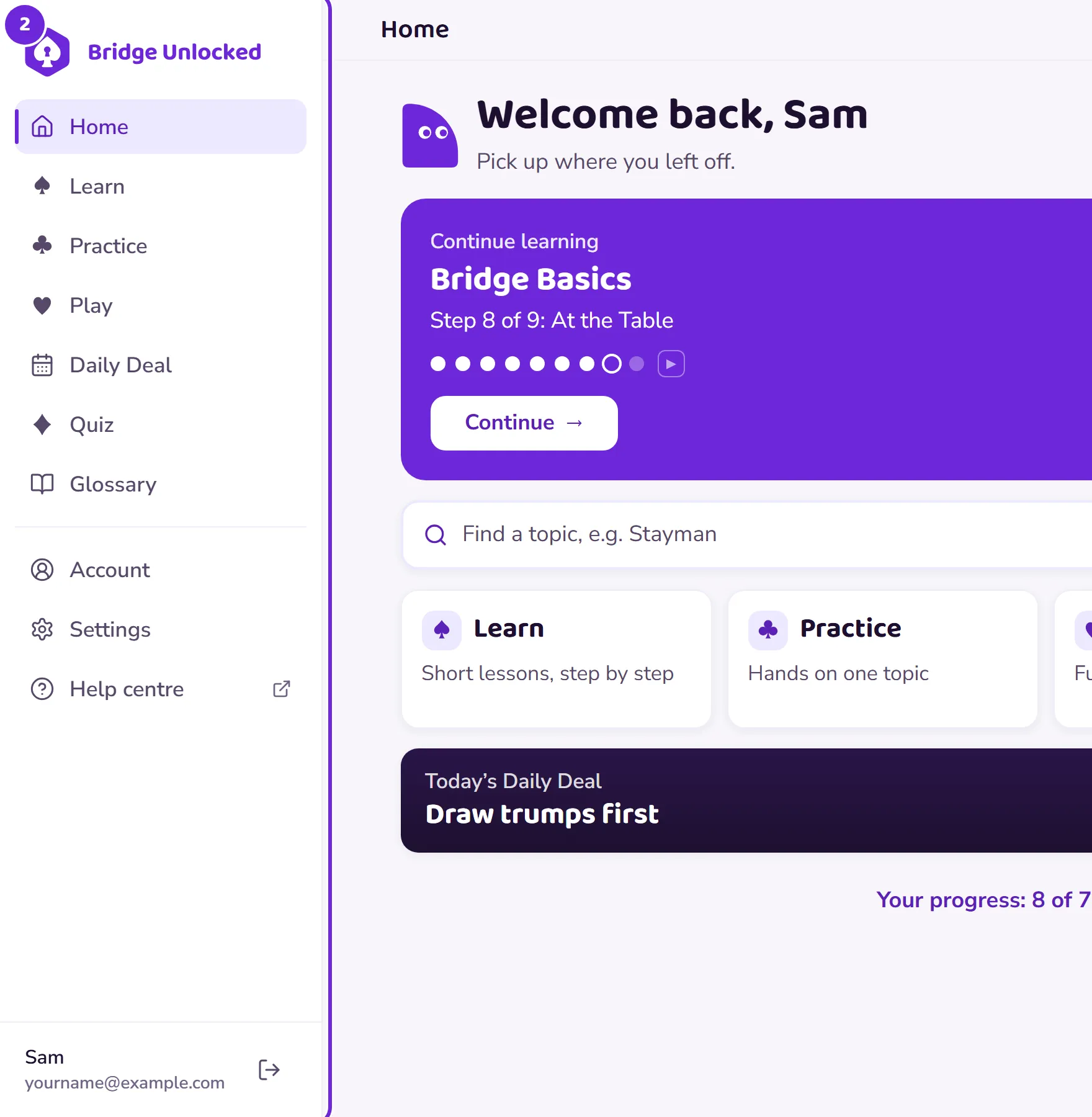 Open this picture full size.
 Step 2: on a computer, the sidebar on the left is the menu. -
On a phone or tablet, five of them are tabs along the bottom: Home, Learn, Practice, Play and the Daily Deal. Quiz is a door on your Home screen, and the Glossary is linked at the foot of Home.
 Open this picture full size.
 Step 3: on a phone, the five tabs live along the bottom. -
The small counter near the top is your streak: the run of days you’ve done a little bridge. The gear takes you to Settings.
-
Back always works. A lesson, a practice session or a deal always keeps a clear way out, and leaving never loses what you’ve done.