You can learn both systems, and switching between them is safe by design: progress in each is kept separately, so nothing is overwritten or lost.
-
Go to Settings → Learning preferences.
-
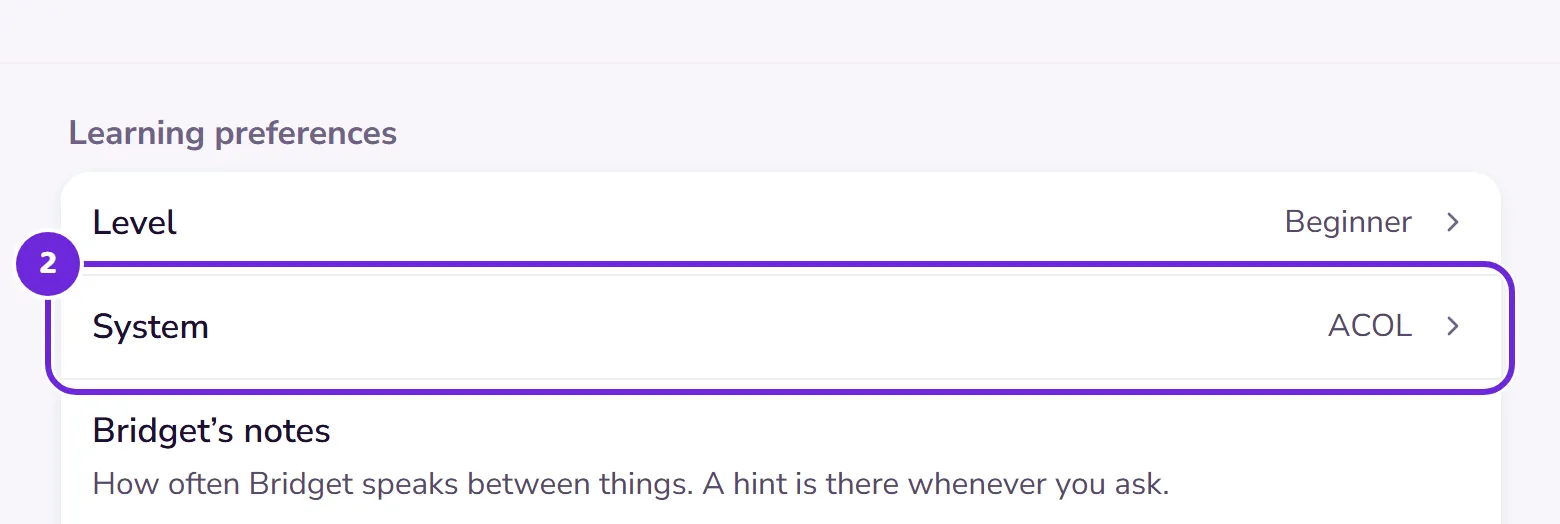
Find the System row: it shows the system you’re in now.
 Open this picture full size.
 Step 2: your current system, shown in Settings. -
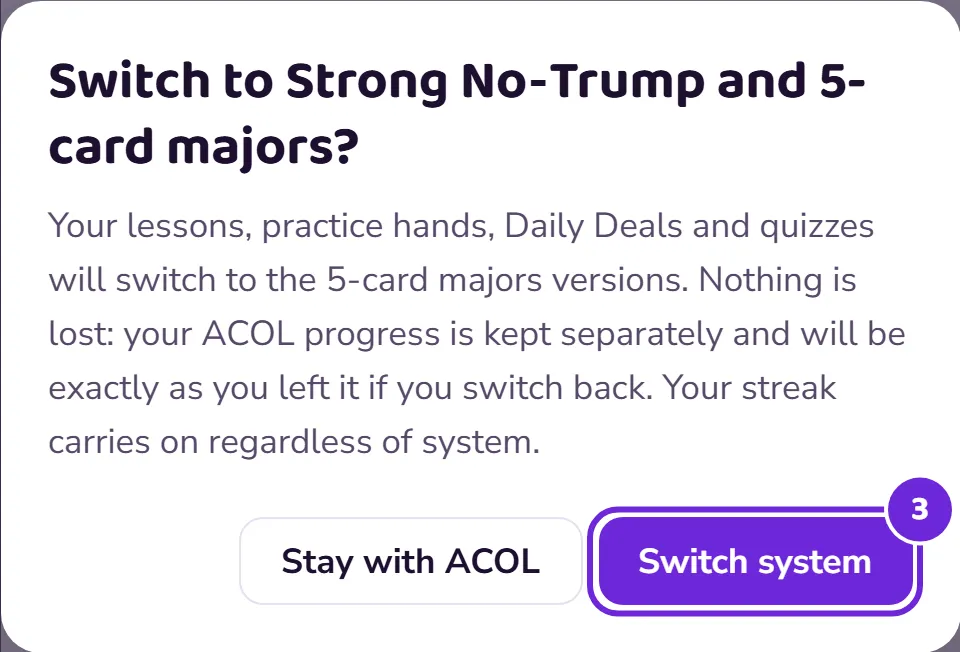
Tap it and read the confirmation. It says what actually happens: your lessons, practice hands, Daily Deals and quizzes switch to the other system’s versions, your progress in the first system is kept exactly as you left it, and your streak carries on regardless.
 Open this picture full size.
 Step 3: the confirmation spells out that nothing is lost. -
Confirm. The app switches on the spot.
-
Switch back whenever you like, the same way. Each system’s record is waiting exactly where you left it.